Cancellations, Reschedules, and Forfeits
Learn how managers cancel, reschedule, and record forfeits for games.
Use these tools when scheduled play changes after your schedule is live. Cancelling is the fastest way to tell teams that the current scheduled game or date is not happening as shown. That is true even when the game will be rescheduled.
If you already know the new date, put it in the cancellation reason, such as "Rescheduled to 6/15 due to gym issue." If you do not know the new date yet, say that the game will be rescheduled. The current schedule item stays visible as canceled, and the replacement time will appear after the reschedule is handled.
Forfeits and no-shows are different. Use those when the game should count as a result because one team did not play.
Cancelling One Game
To cancel one game, open the game from the schedule, expand Danger zone, and choose Cancel Game.
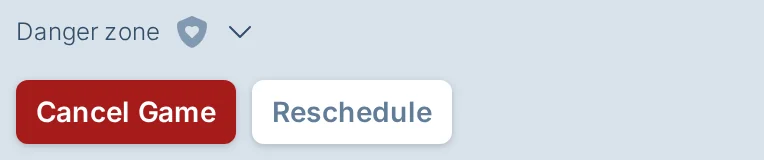
You can only cancel games that are not completed. When the game is upcoming, impacted captains are emailed immediately with the reason you enter. The reason is also shown on the canceled game.
If the game is being moved to a new time, cancel the current game first so captains know not to show up at the original time. Use the reason field to say where things stand, such as "Rescheduled to 6/15 due to gym issue" or "Will be rescheduled due to gym issue."
The cancellation form shows the date, time, field, and teams so you can confirm you are cancelling the right game.
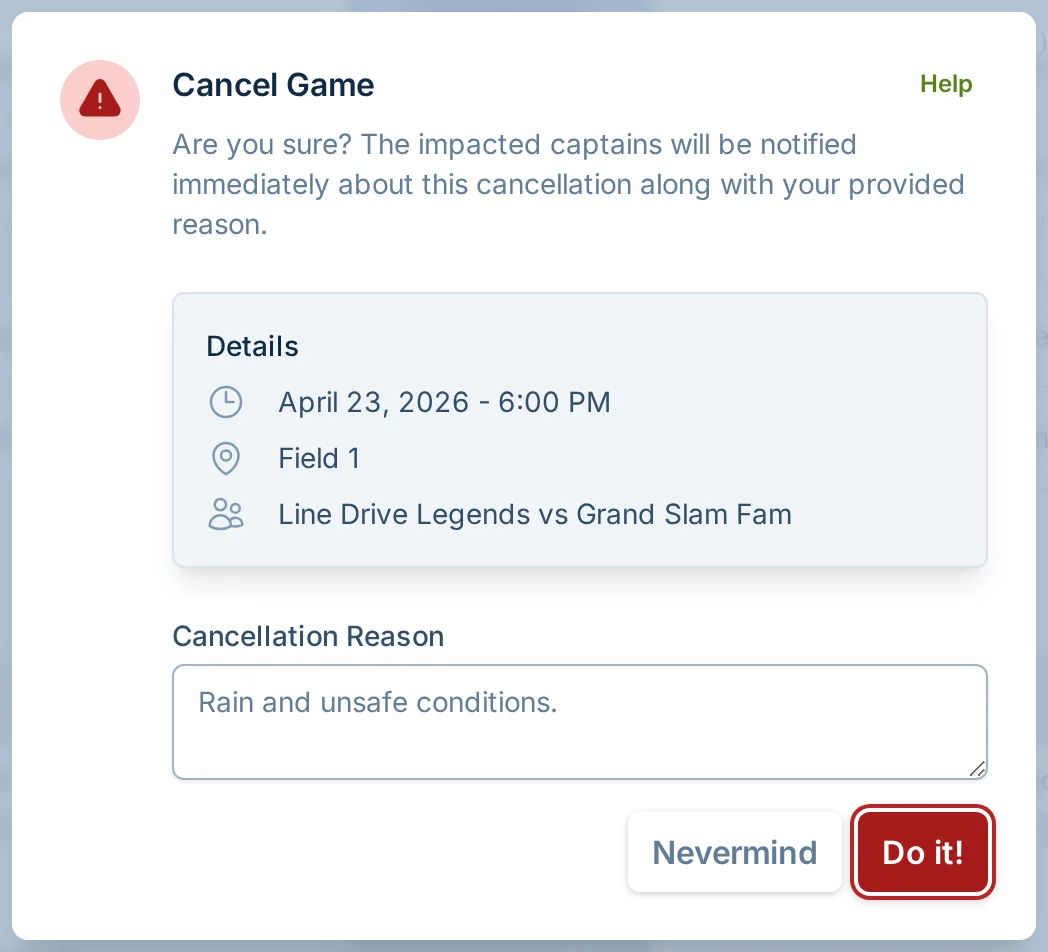
On a mobile device, you can also open the schedule list menu for the game and choose Cancel Game.
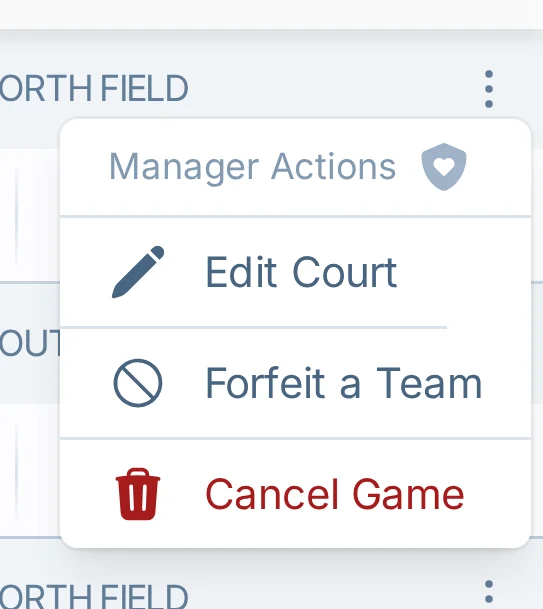
Cancelling All Games on a Date
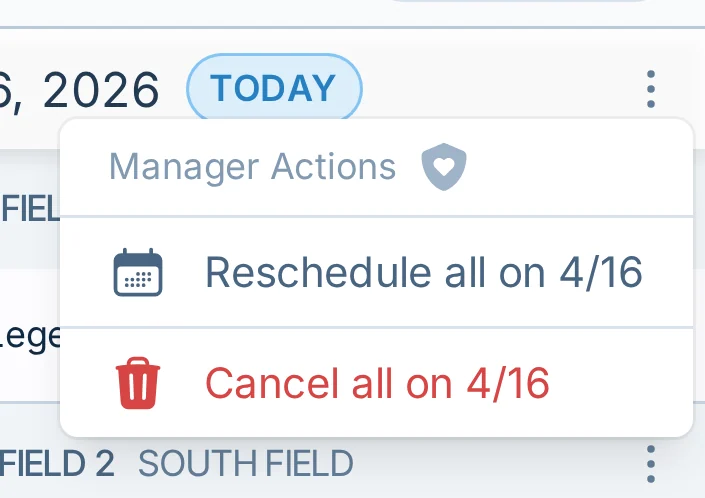
When the whole date cannot be played, use the date header menu on the schedule and choose Cancel all on DATE.
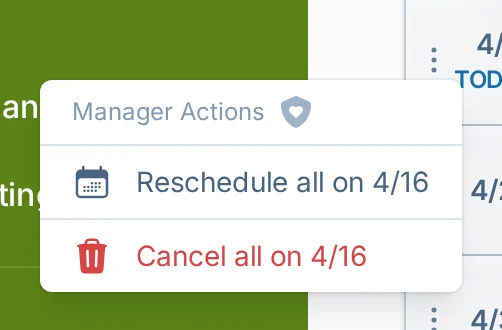
On mobile, the same action is in the date header menu in list view.
The dialog cancels incomplete games on that date. It requires a reason and a typed confirmation so you do not accidentally cancel the wrong date.
If the whole date is being moved, use the cancellation reason to explain that. For example, "Rescheduled to 6/15 due to gym issue" or "Will be rescheduled due to gym issue."
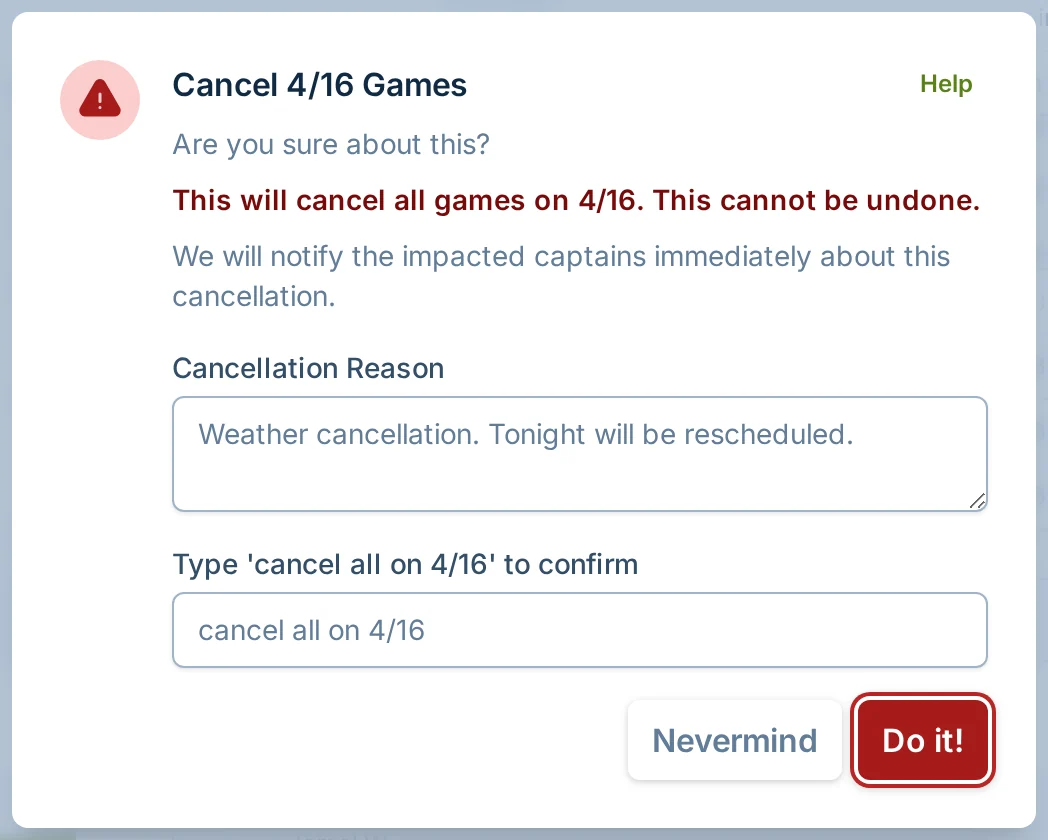
If the date has not fully passed, impacted captains are emailed immediately with the reason you provide. If the canceled date is coming up soon, slowpitch.love also adds a visible schedule notification for the cancellation.
Requesting a Reschedule
Use reschedule requests when the game or date should still happen, but at a different time. If teams need to know immediately that the original time is no longer happening, cancel first with a clear reason, then request the new time.
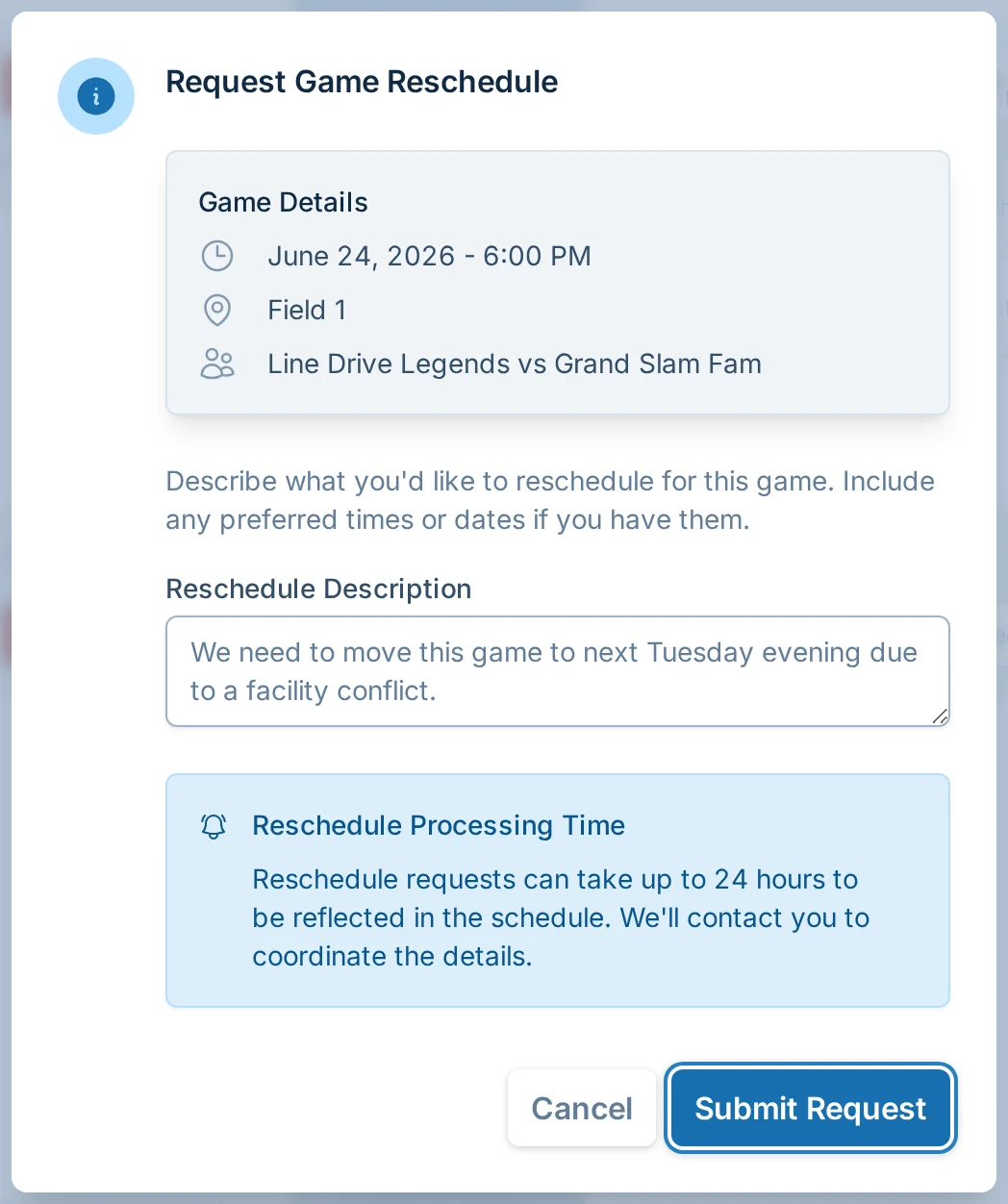
For one game, open the game, expand Danger zone, and choose Reschedule. Describe what you want to change and include preferred dates or times if you have them.
For all games on one date, open the date header menu and choose Reschedule all on DATE.
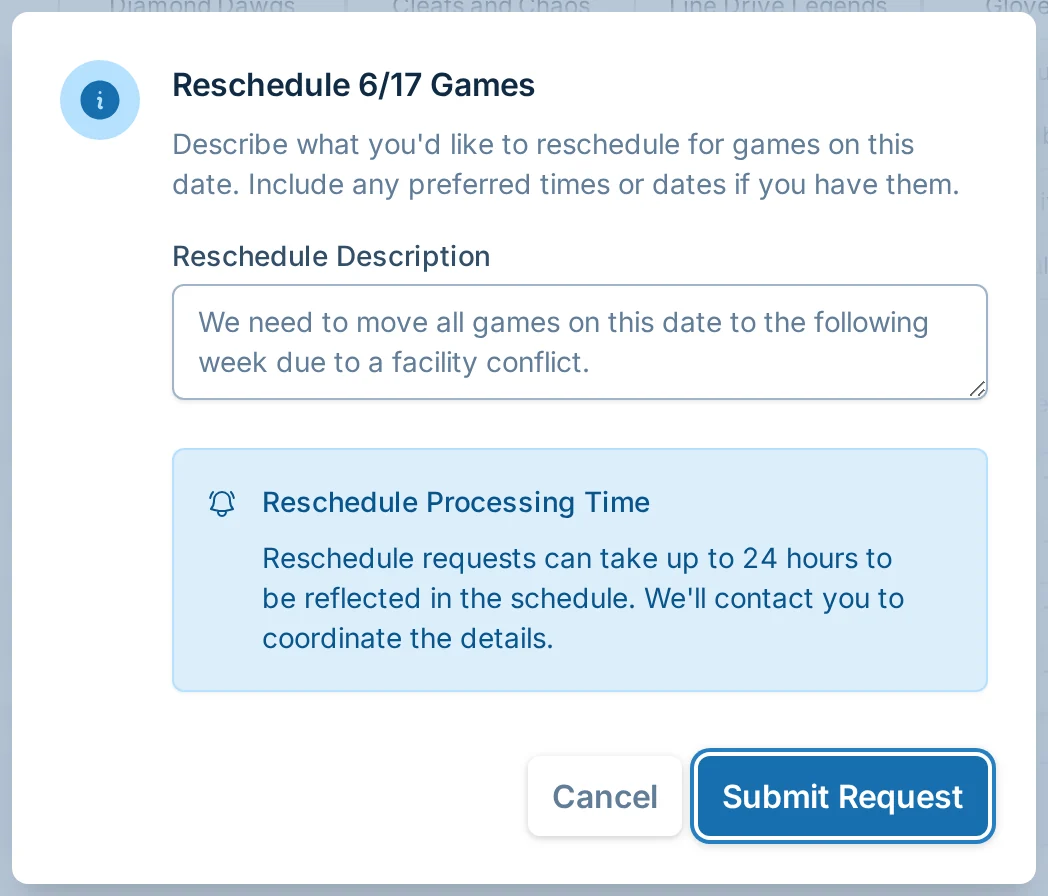
Reschedule requests can take up to 24 hours to appear in the schedule. We may contact you to coordinate details before the schedule changes. Captains should use the cancellation notice and the current schedule until the updated schedule is shown or communicated.
Recording a Forfeit or No-Show
Use Forfeit/No-show? when a team should receive a forfeit result instead of leaving the game unscored or cancelling it.
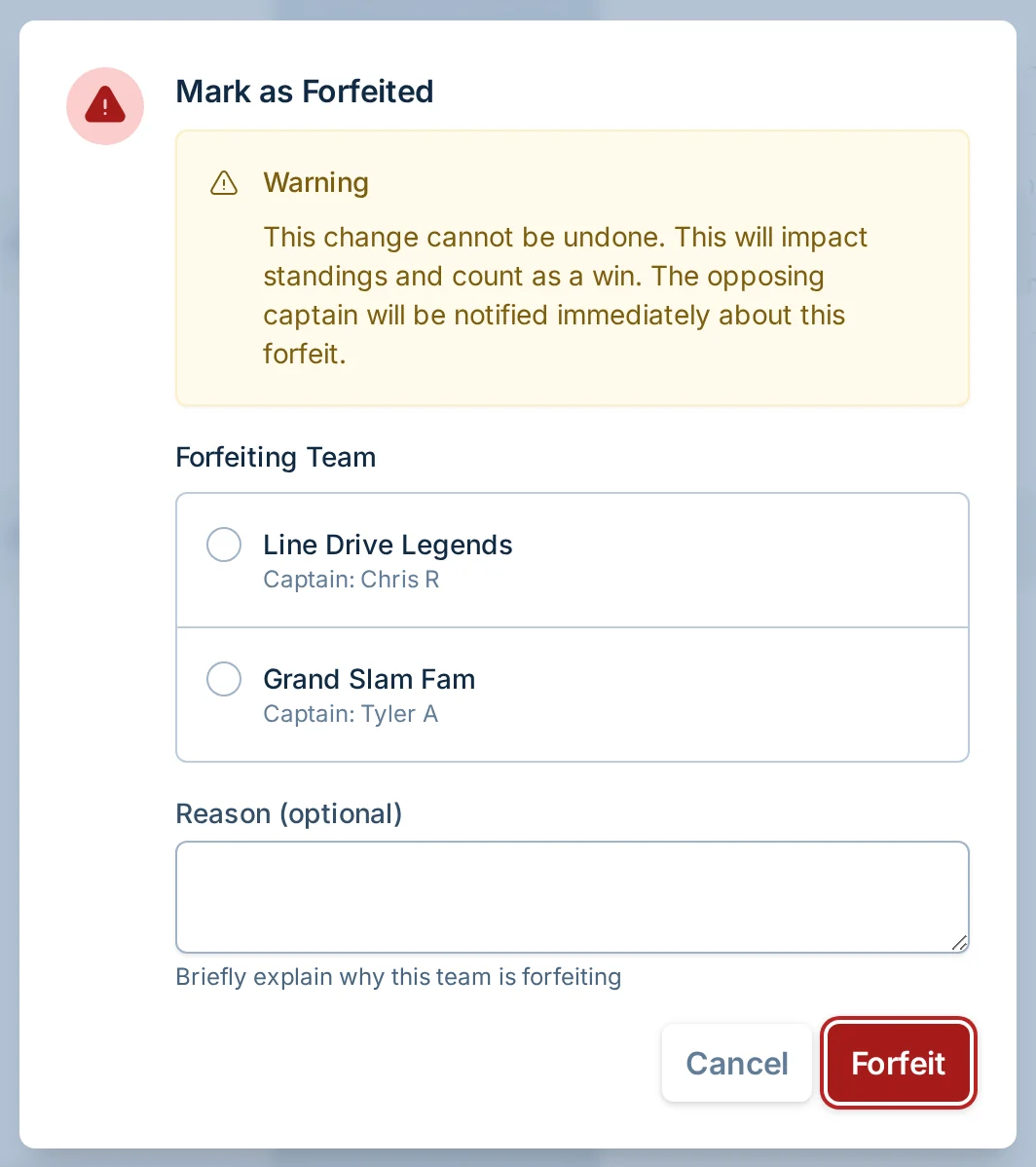
Choose the forfeiting team and add an optional reason. The whole game is selected by default. For a two-team, multi-game game, choose Forfeit specific games only when only part of the game was forfeited, then select the affected games. If you select a game with a recorded result, that result is replaced by the forfeit. Single-game and multi-team games skip the scope choice and record the whole-game forfeit directly.
Each selected game counts as a loss for the forfeiting team and a win for the opponent. A partial forfeit leaves the remaining games open. Selecting every game records the existing whole-game forfeit. Forfeits cannot be undone from the normal manager screen.
For a future whole-game forfeit, opposing captains are notified immediately. Recording only some games does not send a captain email.
For more score entry details, see Score Reporting.
Which Action Should I Use?
- Cancel when the current scheduled game or date is not happening as shown, including when it will be rescheduled.
- Reschedule when you need the canceled game or date put back on the schedule at a new time.
- Forfeit/no-show when one team did not play and the game should count as a result.
When to Contact Support
Contact support if you used the wrong action, need to correct a completed game, need help with a complex schedule change, or are not sure whether to cancel, reschedule, or record a forfeit.